
Install IPTV on MAG
Your favourite programmes, ready for your screen. Follow the guide and tick off each step as you go.

Have your emailed access details ready. Menus and available apps vary by model, version and country.
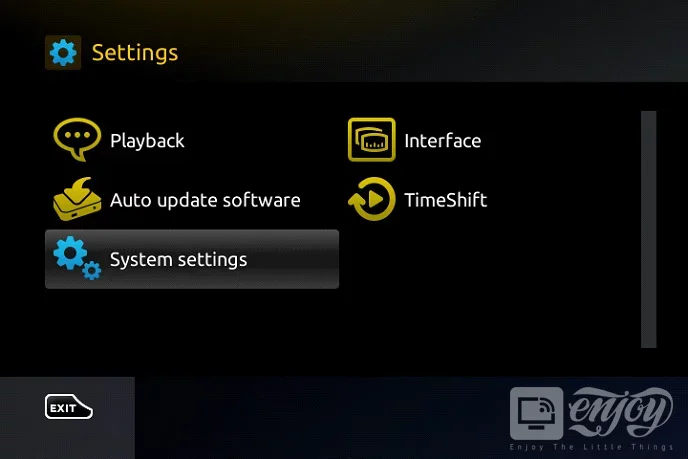
Open settings
From the portal screen, open Settings or press SETUP/SET on the remote.
Find portals
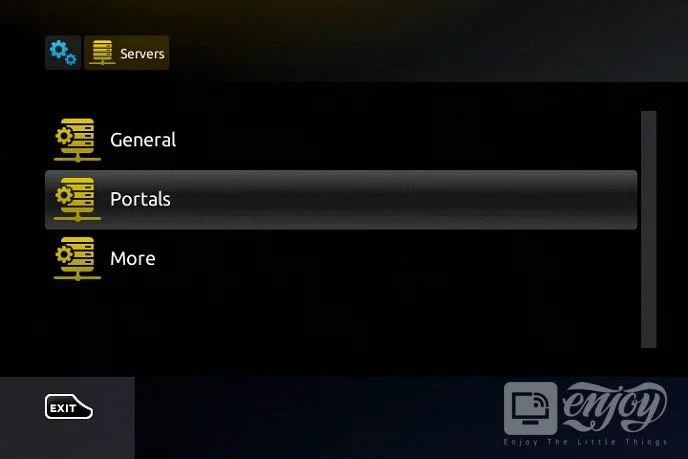
Open System settings → Servers → Portals.
Configure the portal
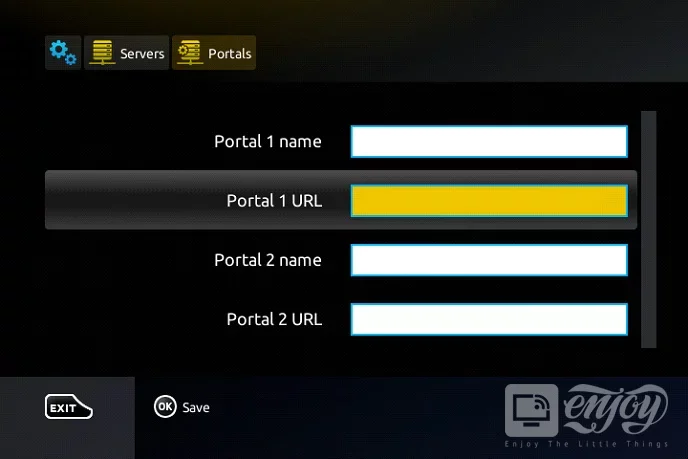
Set Portal 1 name to IPTV UHD and enter the portal address supplied by support in Portal 1 URL. Save with OK.
Set the time
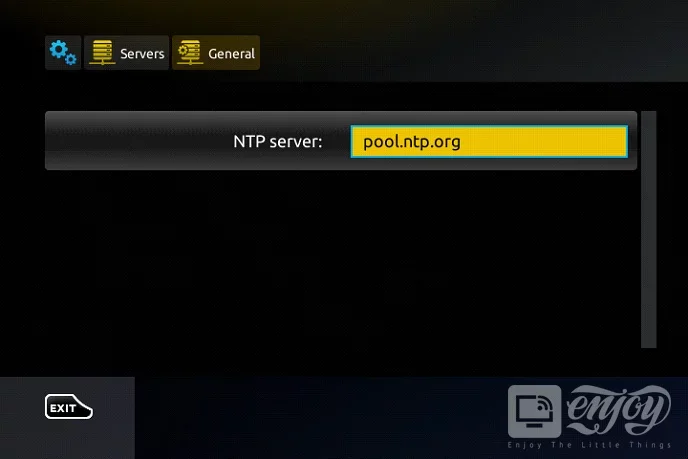
In General, the NTP server can be set to pool.ntp.org, or us.pool.ntp.org for North America. Save your changes.
Restart the portal
Exit Settings using EXIT, then restart the portal. Wait for loading before selecting a channel.
Need help with a setting?
Our team can help you choose a player and set up your device.
Contact the team